Core Concepts & Terminology
DocLock uses a handful of specific terms for the things you'll work with every day. Learning them once makes the rest of the app — and this documentation — much easier to follow.

Where documents live
Workspace
A workspace is a scoped collection of documents with its own members, activity feed, tags, and permissions — for example Human Resources, Finance, or Legal. Most work in DocLock starts by opening a workspace. A special public workspace, Global Resources, is available to everyone for company-wide content (view and download only).
Vault
A vault is a protected, private store of documents. Your Personal Vault is your own space — it's gated by a password prompt and isn't shared with anyone else.
Official Records
Official Records are signed, verified organizational documents kept with immutable audit trails. They represent the authoritative, locked-down version of a record.
A document's lifecycle (statuses)
Every document carries a status that shows where it is in its life:
| Status | Meaning |
|---|---|
| Draft | A work in progress, not yet submitted for review. |
| In Review | Submitted and waiting for a reviewer's decision. |
| Approved | A reviewer has approved it. |
| Published | Released so the intended audience can read it. |
| Archived | Retained for the record but no longer in active use. |
Documents move forward through review and approval using binary decisions — at each approval point the reviewer either approves (move forward) or sends it back (return for changes).
Lock states
To stop two people overwriting each other's work, documents have a lock state:
| Lock state | Meaning |
|---|---|
| Unlocked | Open for editing by anyone with permission. |
| Locked | Frozen — changes are prevented until it's unlocked. |
| Checked out | Someone has it out for editing; others must wait until it's checked back in. |
Protecting and governing documents
Legal hold
A legal hold freezes a folder or document so it cannot be deleted, archived, or modified until the hold is lifted — used when content must be preserved (for example, during litigation).
Retention
Retention rules define how long documents are kept before they can be archived or disposed of. Retention keeps you compliant without manual tracking.
Archive
Archiving moves documents that are no longer active into long-term storage, where they remain findable for the record.
Describing and creating documents
Attributes / Metadata
Attributes (also called metadata) are the structured fields attached to a document — things like category, owner, or dates. Good attributes make documents easy to find, filter, and route.
Template
A template is an approved starting point for a new document. Creating from a template keeps new documents consistent and compliant.
How work moves
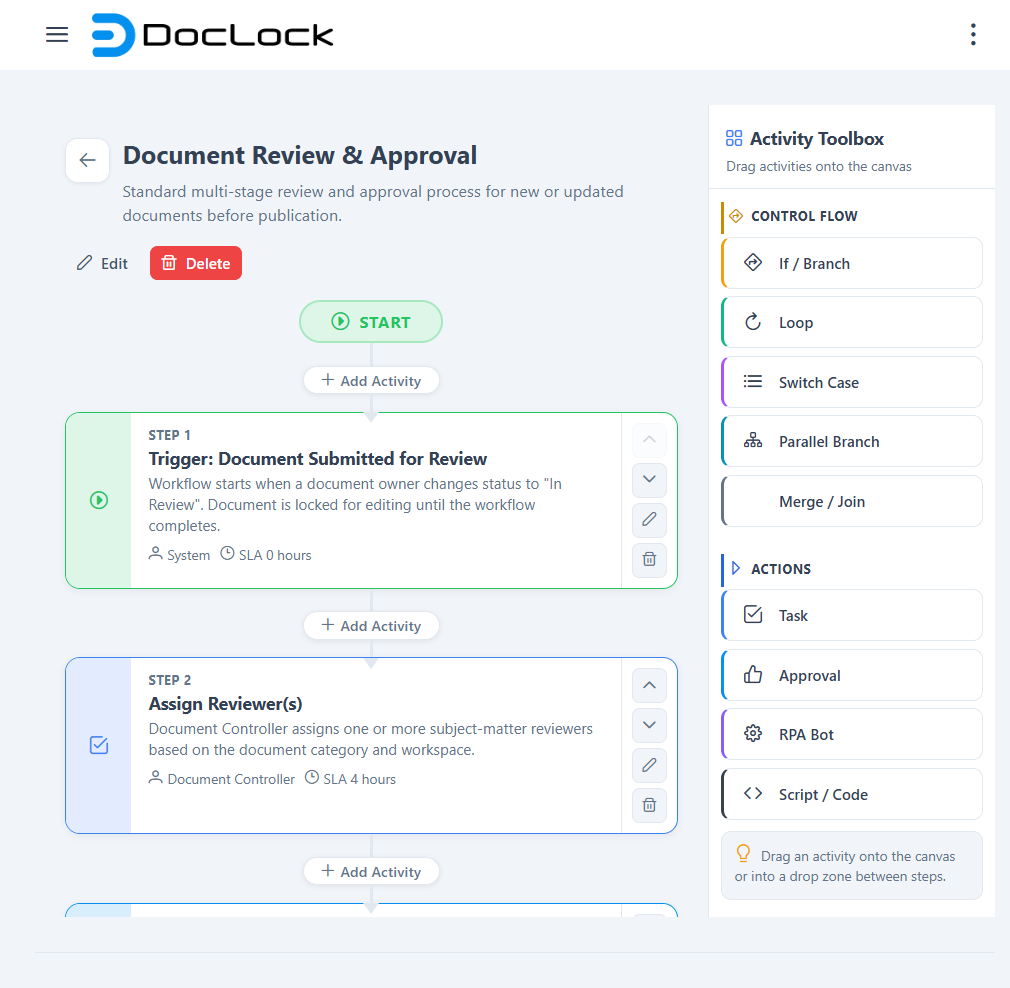
Workflow
A workflow is the defined route a document follows through review and approval. In this build, workflow decisions are binary (two outcomes per decision) — there are no parallel or split approval paths.
Who can do what
Roles & permissions
DocLock controls access with roles and permissions at two levels:
- System-level permissions decide which app areas you can reach (documents, reports, administration, and so on).
- Workspace-level roles decide what you can do inside a specific workspace (view, edit, review, manage members, and so on).
Together, these determine the menus, buttons, and actions you see. For the full picture, read User Types & Access Model.
Quick glossary
| Term | In one line |
|---|---|
| Workspace | A shared, permissioned collection of documents. |
| Vault / Personal Vault | A private, password-protected document store. |
| Official Record | A signed, immutable authoritative document. |
| Status | Where a document is in its lifecycle (Draft → Published → Archived). |
| Lock state | Whether a document can be edited right now. |
| Legal hold | A freeze that prevents deletion/changes. |
| Retention | How long documents are kept. |
| Attribute / Metadata | Structured fields that describe a document. |
| Template | An approved starting point for new documents. |
| Workflow | The review/approval route a document follows. |
| Role / Permission | What you're allowed to see and do. |